Shine & Glint Lite for Aseprite
A downloadable tool for Windows, macOS, and Linux
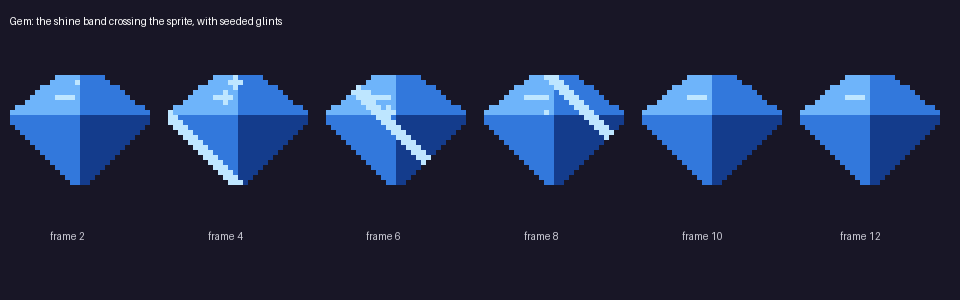
Coins, gems, keys, icons and pickups feel alive when they glint. Shine & Glint generates that loop from the sprite you already drew, using only its own pixels: a highlight band that sweeps across the drawing (clipped to your opaque pixels, never wrapping) and seeded sparkle glints, tagged fx and ready to export.
- Shine sweep: 8 frames, two directions (diagonal down / up), tagged
fx - Highlight in the lightest colour already in your sprite: no blur, no partial alpha, no new colours; transparency untouched
- RGB, indexed and grayscale sprites, Aseprite 1.3+; one Ctrl+Z undoes it
Lite: shine sweep only, fixed width and length. The full version adds seeded sparkle glints, six angles, band width, a pause between shines, your own highlight colour, explicit sparkle spots and all-layers mode: Shine & Glint.
Tested in real Aseprite 1.3.18 (headless). Commercial use of the resulting artwork is allowed; no credit needed.
More Aseprite tools by the same author: Parallax Loop Studio, Appear & Vanish FX, Hit Reaction Kit, Idle Motion Maker, Smear & Squash Studio, Selective Outline Studio, Pixel Sky & Cloud Generator.
Disclosure: the code was written with an AI coding assistant; the effects are plain pixel maths, no image AI.
Download
Click download now to get access to the following files: